Ever wonder about the safeguards your child’s school puts in place for online activities?
Many schools have rules in place when it comes to web blocking for all devices on school grounds, as well as school-issued computers that are sent home with children.
According to theAmerican Association of School Librarians (AASL), 98% of schools are now filtering all website content that is available to students. This can look different depending on the school, but most schools use software to block potentially offensive content while others take a more manual approach by supervising students while they work in the classroom.
We want to make sure parents stay in the know about their child’s internet safety, no matter where they are. So this page is going to break down all the big questions, likewhy schools block websites, what exactly they are blocking, and how this information could help you decide what to block at home.
Why Do Schools Block Websites?
So why did schools start blocking websites in the first place?
The answer is because of something called the Children's Internet Protection Act (CIPA). In 2000, Congress passed this act that placed certain restrictions on schools and libraries receiving internet services through the E-rate program (this program provides affordable internet services to schools and libraries that need it). The act requires these schools to block websites on all computers accessible by minors that contain the following types of content:
Obscenity - Child pornography - Images harmful to minors
CIPA also requires schools to follow other guidelines, including monitoring student activity while they’re actively using school or library computers. In addition to CIPA, some states have regulations that their schools have to follow when it comes to website blocking. The goal of these rules and restrictions is simple: to protect kids from harmful and distracting content on the internet.
Protect your family - for free! | Sign up today or call 866-931-5757 for a free 30-day trial of Experience IQ™ from GVTC.
What Websites Do Most Schools Block?
You can most likely guess what sort of websites are blocked on school grounds. First and foremost, it’s popular sites and apps kids will be tempted to visit. Some examples include:
These are just a fraction of what schools may block on their devices. There are thousands more that easily make the list. Some schools block entire categories of content, taking away the need for human analysis of individual websites.
One takeaway is that if schools, state legislatures, and even Congress have gone so far as to require website blocking and content monitoring, that probably means this is aprevalent and serious issue. And if kids are willing to test the boundaries of internet browsing at school, how much more willing are they to test the boundaries in the comfort of their own home?
Block the same websites your local schools block.
Sign up todayor call 866-931-5757 for a free 30-day trial of Experience IQ™ from GVTC.
If you’ve been a parent for any amount of time, no one needs to tell you that kids are vulnerable and easily impressionable. So when the internet gives them access to loads of adult content, it’s super important to have a support system in place. And that support system starts at home.
This will look different for every family. There is a lot to consider when it comes to making internet rules for your kids. We won’t sugar-coat it, it’s hard parenting in the digital world. But the good news is that you don’t have to do it alone! with GVTC's Experience IQTM, you can easily navigate all the important decisions that come with introducing your kids to the internet.
Try Experience IQ™ FREE for 30 days! Speak with a GVTC representative at 866-931-5757
Stay in control with ExperienceIQ™: Enhanced Parental Control
With kids using the internet for school, play (and let's be honest, Tik Tok for hours on end) it's vital to be able to monitor and manage their internet usage.
That's why we've created Experience IQ™ for GVTC Premium WiFi powered by WiFi 6 where you can set profiles, content filters and schedule screen time limits all on a network that works as fast as you do.
Available for FREE for 30 days* when you add it to GVTC Premium WiFi!
($3.95/ month after trial period)
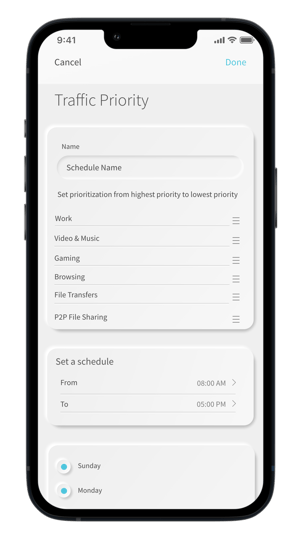
Traffic Prioritization
Keep video calls from dropping and movies from buffering with device, activity, and schedule-based prioritization features.
Handheld control
Customize settings for your home and family members right from the GVTC WiFi App.
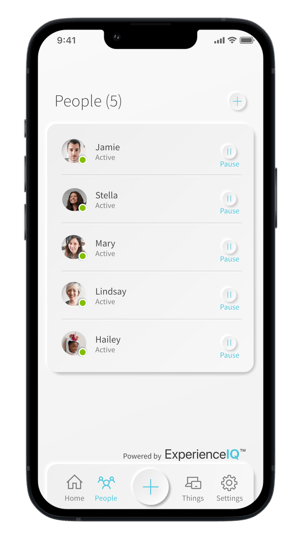
Custom Profiles
Create profiles for your family members and assign devices and usage limitations to each individual.
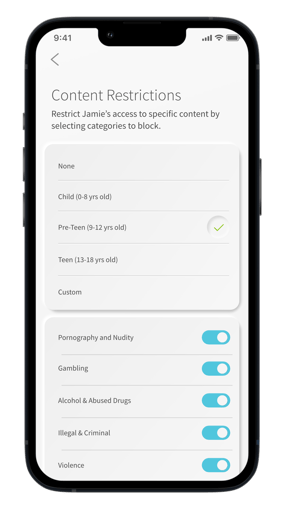
Filter & Safe Search
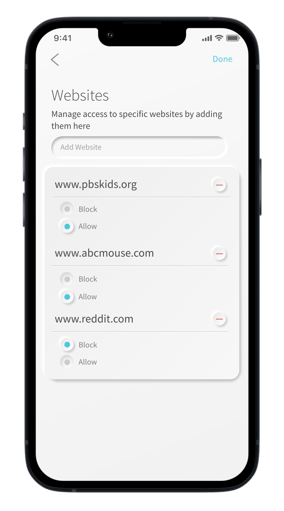
Block entire internet categories, apps, and websites. Remove inappropriate and explicit content from users' search results.
Upgrade to ExperienceIQ™ and get intuitive parental controls with ultimate oversight and protection, covering content, applications, and websites on all devices connected to the network.
Frequently Asked Questions
How do I sign up for ExperienceIQ™: Enhanced Parental Control?
Call 866-931-5757 or visitgvtc.com/shopand add ExperienceIQ™ to your GVTC Premium WiFi subscription. When you log into your account, click on"My Services", click on"My Internet", select"Options & Features", then add"ExperienceIQ™".